
Sellerboard: see your Amazon net profit at a glance
When we talk about Amazon tools, each one needs to be put in its proper place.
At AMZSC, before buying a product, we do not leave things to chance.
We already use SellerAmp to analyse an opportunity before purchase: purchase price, Amazon fees, estimated profitability, restrictions, competition, sell-through and the coherence of the deal.
So no: Sellerboard is not there to discover after the fact whether a product was profitable.
You need to know theoretical profitability before buying. That is the foundation.
Sellerboard then operates in a much more detailed area: the real management of the Amazon account, connected to Amazon data and updated with sales, fees, reimbursements, returns, subscriptions and costs.
Key takeaway:
- SellerAmp is used to validate profitability before purchase;
- Sellerboard is used to track what really happens afterwards: sales, fees, returns, reimbursements, stock and costs;
- the point is not to “do a calculation”, but to maintain an accurate, actionable view of the account;
- at AMZSC, we do not put PPC at the centre: our model relies first on sourcing, margin, sell-through and execution;
- the AMZSC link lets you benefit from 2 free trial months, with no bank card required.
Through the AMZSC link: 2 free trial months, no bank card required.

Sellerboard’s real role: reconcile theory with the Amazon reality
A deal can be properly validated before purchase.
You may have a sound estimated margin in SellerAmp, an acceptable ROI, proper sell-through and a logical purchasing decision.
But once the product has been sent to Amazon, it enters the real life of the seller account.
- a customer may return the product;
- Amazon may refund the customer, then reimburse you afterwards;
- certain fees may vary slightly;
- your FBA shipment may not exactly match the optimised model estimated before purchase;
- storage, subscription or service fees may be added;
- external costs may need to be included to obtain a sound view.
This is where Sellerboard becomes useful.
It does not replace pre-purchase analysis. It checks, updates and details what is really happening on the account.
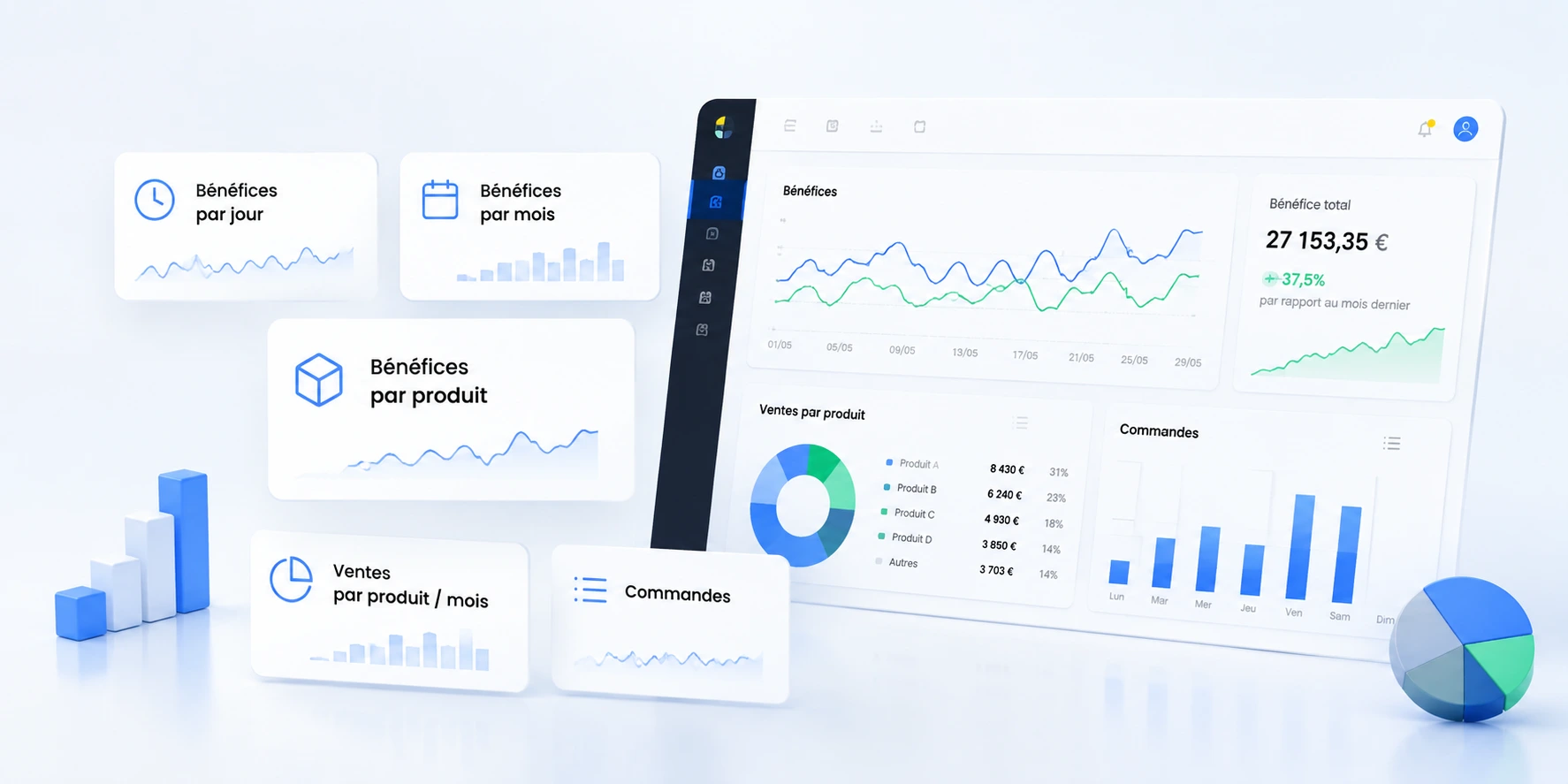
Why a discrepancy can arise even when a product has been analysed well
To be clear: a good pre-purchase analysis tool greatly reduces unpleasant surprises.
When you use SellerAmp properly, you should not be buying in the hope that “it works out”. You already know your profitability.
But Amazon remains a dynamic environment.
A simple example: SellerAmp can calculate profitability using an optimised shipping model. If your actual shipment to Amazon is not optimised in the same way, there may be a small difference.
That is not necessarily a disaster. But if you want to manage properly, you need to see it.
The same logic applies to returns: a customer refund can temporarily worsen the result, then Amazon may reimburse you afterwards. If your tool does not update the data correctly, you may misread the situation.
Sellerboard is precisely there to track this movement.
Almost an accounting tool connected to Amazon
The best way to understand Sellerboard is not to see it as a simple sales dashboard.
It is almost an operational accounting tool connected to your Amazon account.
It retrieves Amazon data, reconciles it, categorises it, updates it, then gives you a clear view of what your business is really generating.
We are talking about business management, not decoration.
- Sales: what goes out on Amazon.
- Amazon / FBA fees: commissions, fulfilment, storage and refund-related fees.
- COGS: the actual cost of goods sold.
- Returns: impact on results, unsellable products and associated costs.
- Amazon reimbursements: adjustments when Amazon reimburses you after an incident or return.
- Amazon Seller Central subscription: a recurring cost to include in true profitability.
- Additional costs: expenses you can add to bring your figures closer to reality.
This precision makes the difference as your business grows.
Revenue is not enough, even when sourcing is good
Even with good purchases, revenue remains an incomplete indicator.
It can make you feel that everything is fine when some lines are losing margin.
Conversely, it can make you panic over a short period when an Amazon reimbursement or fee correction will rebalance the picture.
Sellerboard helps you look at the account more calmly: not just what comes in, but what remains.
And above all, what remains after Amazon events have been genuinely updated.
Customer returns: the detail that can change how you assess a product
Returns are a very good example.
A product can be profitable in the initial analysis, then experience a few returns.
If the product comes back in resellable condition, the impact is not the same as if it comes back unsellable.
If Amazon refunds the customer and then subsequently settles part of the situation, your assessment needs to change.
Sellerboard highlights return analysis with cost structure, refund reasons, refundable or non-refundable fees, refund commissions and lost COGS in some cases.
This is not secondary data. It is what makes it possible to distinguish between:
- a product that remains healthy despite a few normal returns;
- a product that sells but whose returns damage the margin too much;
- a one-off problem to absorb;
- a line that needs to be stopped or monitored.
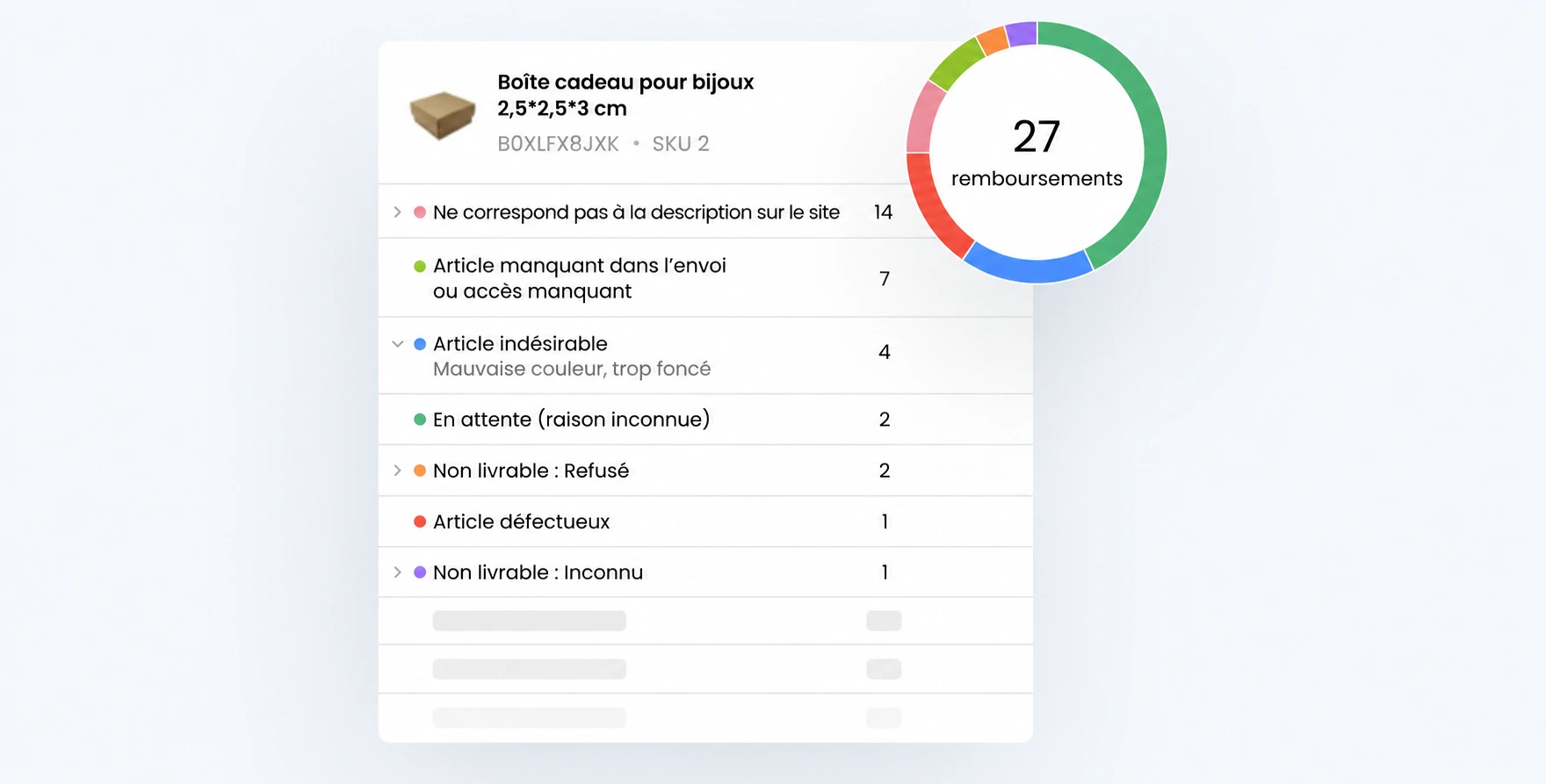
FBA shipments: when theoretical optimisation meets the actual shipment
Another important point: shipments to Amazon.
Before purchase, we work with sound assumptions. We estimate. We optimise. We validate.
But in reality, the way you prepare, split, label and ship your products can create small differences.
Sellerboard is not there to frighten you with this. It is there to show you what actually happened.
If your shipping model was optimised in the analysis but your actual execution is not as optimised, the tool can help you understand the discrepancy.
And that is exactly what fine-grained management means: spotting small discrepancies before they become costly habits.
The right time to try it: when you want to track your fees, returns and refunds to the penny.
Seller Central subscription and overheads: stop forgetting fixed costs
Many sellers think product by product, but sometimes forget the costs surrounding the business.
The Amazon Seller Central subscription, for example, needs to be included in the overall view.
The same applies to certain costs you may want to track in Sellerboard: software, service providers, operational fees, recurring or one-off expenses.
The aim is not to make the seller’s life more complicated.
The aim is to avoid an overly flattering reading of the business.
When you start selling seriously, you do not only want to know whether a product is profitable in isolation. You want to know whether your whole system is moving in the right direction.
Stock: manage restocking with actual margin, not emotion
Sellerboard also highlights stock management: stockout estimates, replenishment recommendations, sales history, seasonality, supplier lead times and replenishment preferences.
In arbitrage, it is very useful because a restock should not be decided solely because a product has sold.
The real question: does the product remain worthwhile after actual fees, returns, sell-through and cash tied up in stock?
- If the actual margin remains sound, restocking may make sense.
- If returns increase, you need to slow down or stop.
- If FBA fees change, the decision needs to be recalculated.
- If sell-through falls, you need to protect cash flow.
- If the Buy Box becomes unstable, you need to monitor the risk.
Sellerboard provides the information needed to make this kind of decision without fooling yourself.
Alerts: be notified when something changes on the account
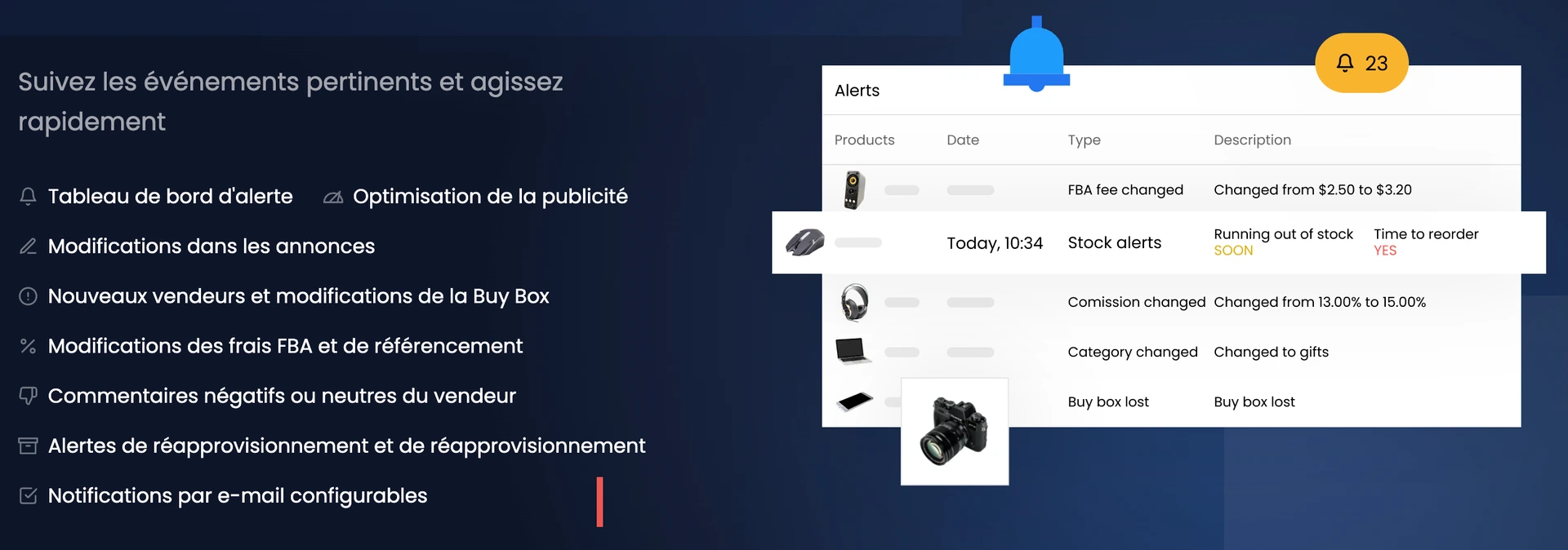
Sellerboard also offers alerts for important events: listing changes, new sellers, loss of the Buy Box, fee changes, negative or neutral reviews, replenishment and configurable email notifications.
It is not the most spectacular part, but it is very useful.
Because an Amazon account can change while you are working on something else.
You may have new competition arriving, a Buy Box becoming less stable, a fee changing, a review that needs attention or stock approaching a stockout.
The aim is not to obsess over every signal. It is to avoid discovering too late a change that affects margin.
PPC: a useful feature for some sellers, but not at the core of our method
Sellerboard also offers PPC features: campaign analysis, advertising profitability, target ACOS, bid optimisation and profitable or excluded keywords.
It is useful for sellers who run Amazon advertising.
But at AMZSC, we need to be clear: our arbitrage method does not rely on PPC.
So we do not present Sellerboard as an advertising tool.
We look at it first as a tool for reading the account as it really is: profits, fees, returns, reimbursements, stock, alerts and costs.
If you use PPC in another strategy, the advertising side can help you. But it is not the central subject here.
Reseller workflow: useful if you want to structure operations
Sellerboard also highlights a reseller workflow: scan products, manage shopping lists, manage offers, prepare FBA shipments, labels, shipment tracking, packing/preparation templates and profit per batch.
For a seller starting to gain volume, it is useful because the real danger is often becoming scattered.
A tool for scanning. A spreadsheet for batches. Amazon for sales. Another file for fees. Notes for returns. The result: you no longer know exactly where to look.
The benefit of a connected tool is to bring the stages together and maintain a consistent view.
Review requests: an additional feature to use properly
Sellerboard also offers follow-up emails and “Request a review” automation.
It is useful for some sellers, provided it is used properly: without spam, without pressuring customers for reviews, and in line with Amazon’s rules.
It is not the main reason I would look at Sellerboard for arbitrage, but it exists, so we should mention it.
The main reason remains real-world management: knowing where your account stands, what you earn, what you lose and what needs adjusting.
How much does Sellerboard cost?
Sellerboard starts from 15 $ per month, with several tiers based on order volume, review requests/emails, additional seller accounts, users, automated reports and features.
The AMZSC link also offers a free trial, with no credit card required and cancellation possible at any time.
The right question is not: is 15 $ expensive or cheap?
The right question is: does the tool help you read your account more accurately, avoid management errors and make better stock, restocking and margin decisions?
Who is Sellerboard genuinely useful for?
Sellerboard can be useful for several types of seller.
- Already active Amazon seller: to track what the account is really generating.
- Amazon arbitrage seller: to compare estimated profitability before purchase with the actual outcome after sales, fees and returns.
- FBA seller: to include fees, stock, reimbursements and returns in your business view.
- Growing seller: to stop managing with a makeshift spreadsheet and gut feelings.
- Amazon team or agency: to manage access, reports and user permissions.
Conversely, if you do not yet have any products, any sourcing method, any volume or any analytical discipline, Sellerboard will not do the work for you.
It is a management tool, not a magic wand.
The AMZSC method: validate the purchase first, manage the reality afterwards
The sound logic is simple.
- Before purchase: analyse with SellerAmp; check the estimated margin, fees, restrictions, demand, competition and sell-through.
- After purchase: use Sellerboard to track what is really happening on your Amazon account.
- During operations: adjust your decisions according to returns, fees, refunds, stock and discrepancies observed.
- When restocking: do not just look at “it sold”; check whether the line remains sound.
This feedback loop is what professionalises a seller.
Not the tool alone. The method + the tool.
In summary: Sellerboard helps you keep an accurate view of what is really happening
Sellerboard is not there to replace pre-purchase analysis.
At AMZSC, this step is already done with SellerAmp, before taking out the bank card.
Sellerboard then becomes useful for tracking the real business to the penny: sales, Amazon fees, FBA, COGS, returns, reimbursements, stock, costs, Seller Central subscription, alerts and operational workflow.
This is what lets you manage an Amazon account with less uncertainty.
You know what is happening. You understand the discrepancies. You adjust faster.
Try Sellerboard through the AMZSC link: 2 free months, no bank card required, to see whether managing your business becomes clearer.